Today we will be takling about how to do SOAP api with mulesoft esb anypoint platform. SOAP based webservices are around from the long time. With the recent advances in REST webservices most of us are moving towards REST but there are still lot of SOAP based webservices around and when we work in integration sooner or later we would come face to face with either writing soap service or consuming a soap service, Doing these two in Mulesoft ESB are as simple as putting few lines of code and we will be done.
I will not be going in details about SOAP rather I will concentrate on creating and in the next part of this blog we will see how to consume SOAP in mule runtime. for details about SOAP, please check this https://en.wikipedia.org/wiki/SOAP
Let’s start by creating a simple service and than by consuming it in mule runtime.
Publishing SOAP Service
Mule runtime uses Apache open-source CXF framework to build SOAP APIs. We can create a CXF API in anypoint studio by configuring a CXF component in our Mule flow to perform any of the following CXF operations related to publishing a SOAP API:
- publish a simple service
- publish a JAX-WS service
- proxy a published service
CXF Component will facilitate, to enable WS-security, specify data bindings, and add interceptors to CXF API.
There are three main parts of exposing SOAP api in mule runitme using CXF
- An endpoint that receives requests and sends responses
- A CXF Component that references and exposes the WSDL file
- A component or a combination of components that performs the operations on the API.
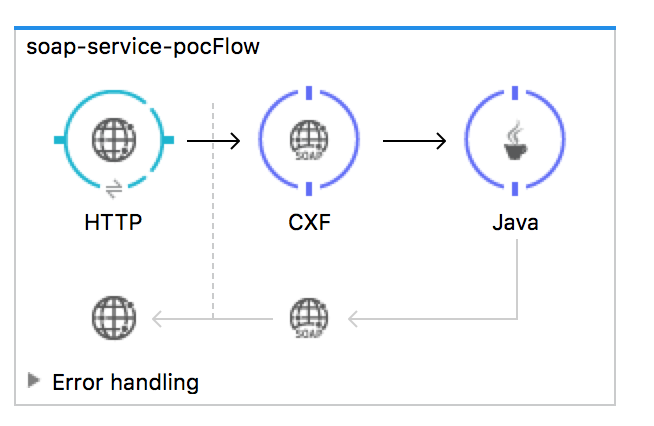
Inbound Endpoint Element
The endpoint receives requests and sends responses, both containing XML SOAP envelopes. Some of the valid endpoints are HTTP, HTTPS, JMS, or VM.
CXF component
SOAP webservice are exposed using wsdl (Web Service Discriptive Language). wsdl is a contract between client and server. A wsdl can be accessed by adding ?wsdl to the API’s URL when performing a request.
Through CXF, you present a WSDL contract using one of the following methods:
- WSDL-first: start with a WSDL file that you created yourself, import it into your Mule project, then reference its location from the CXF component.
- Code-first: start with an annotated Java class, then have JAX-WS compile a WSDL file based upon it.
The CXF component is implemented as annotations on Java classes. There is a direct relationship between the WSDL structure and the Java annotations needed. When you use a WSDL, Java POJOs are generated with the correct annotations. You can also force an existing Java POJO to adhere to a WSDL spec. Studio can also create flows to act as SOAP clients.
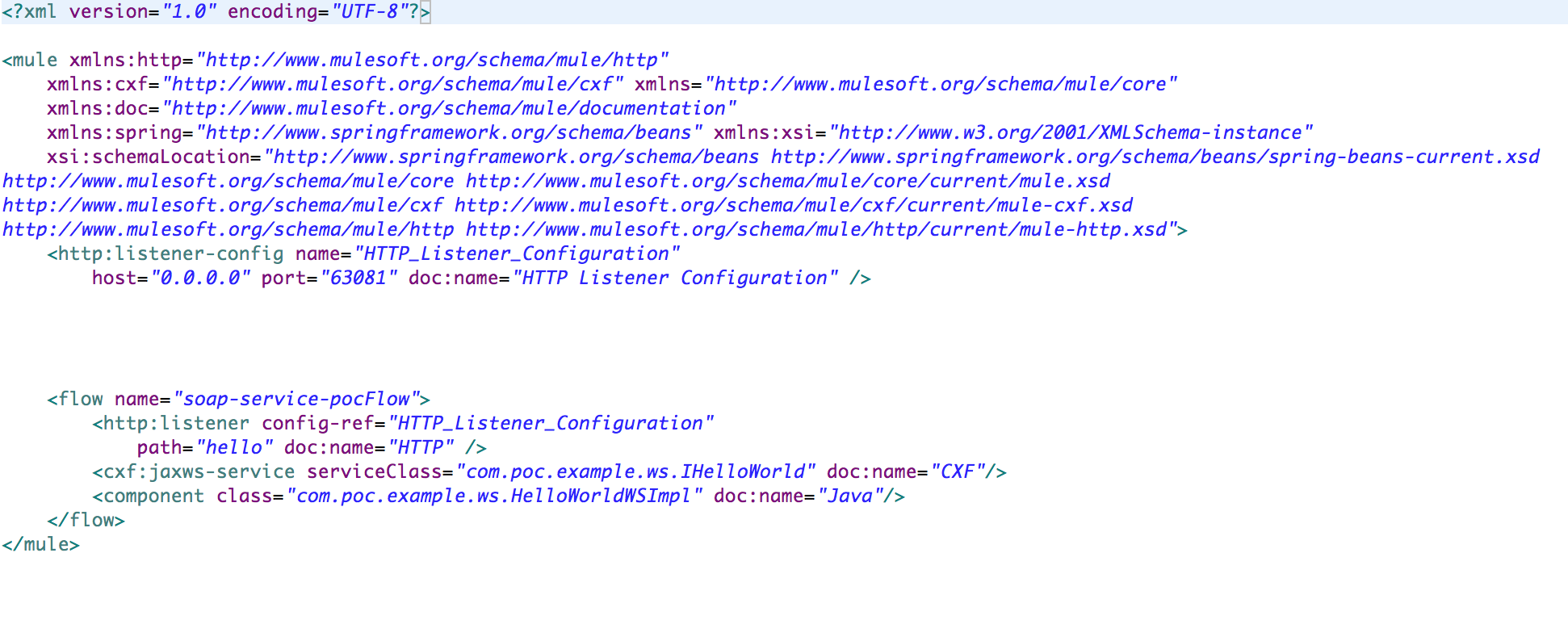
The Java Interface
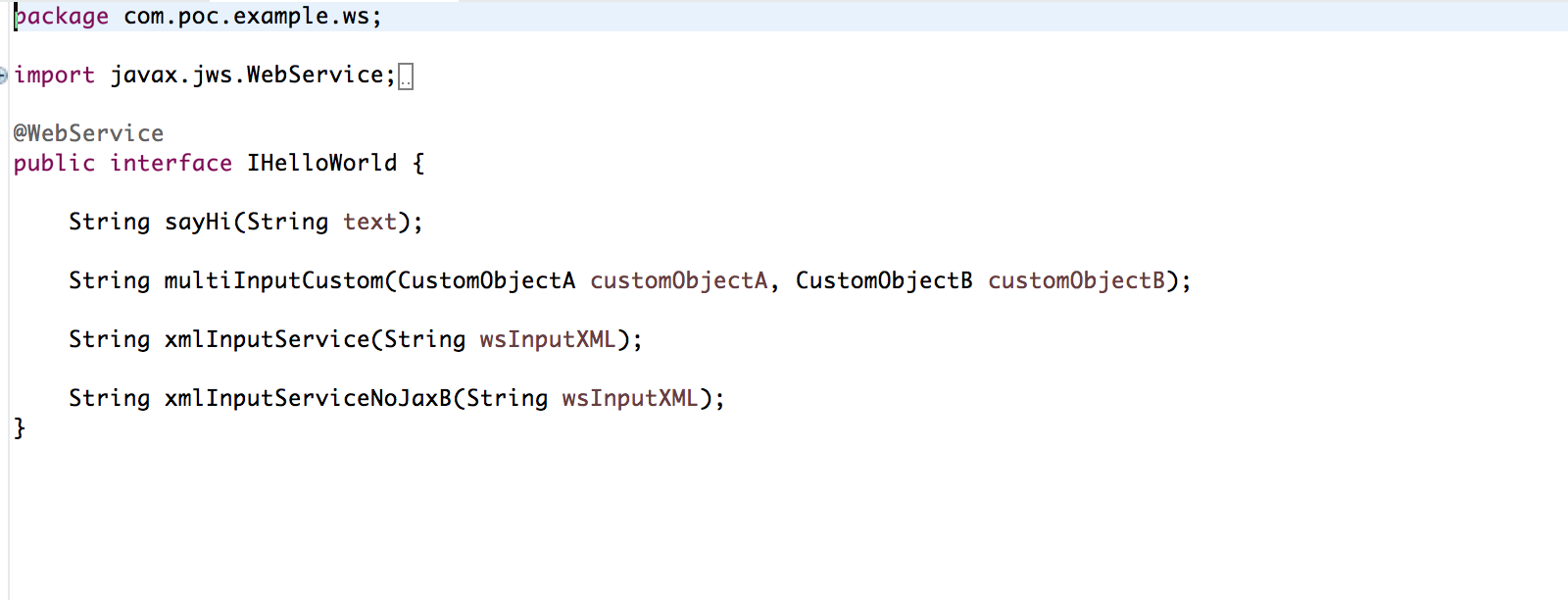
The interface should be annotated with javax.jws.WebService. This is the only thing you need to do to the interface that creates the contract of your webservice.
The Java Class
The next remaining thing is to implement the service class and give a implimenation to your webservice.
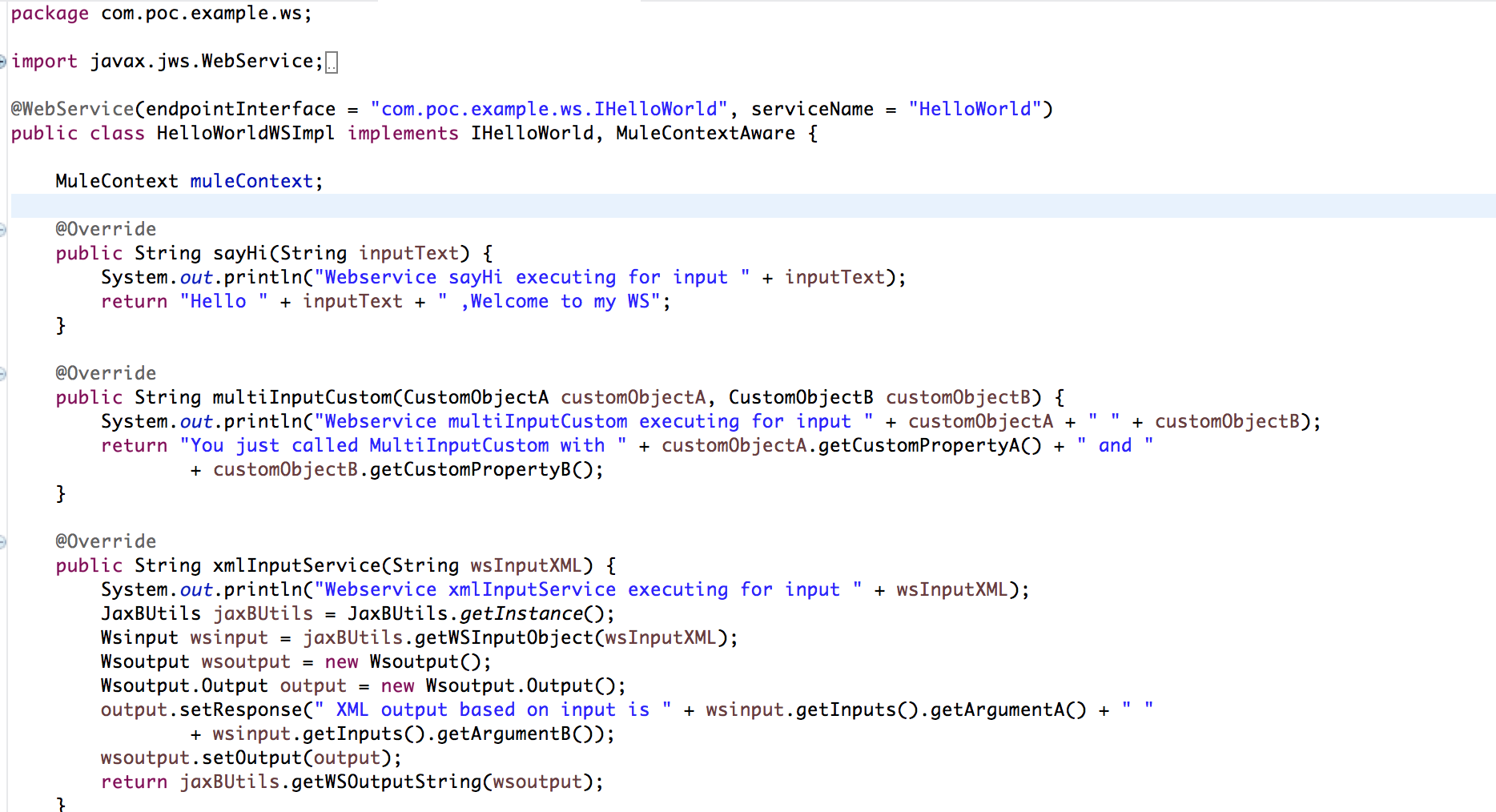
This implementation class is where you put all the business logic of your webservice. as shown in above image I have put various method with different types of input arguments.
Now let’s start the project and see how the wsdl file looks and how can we access it.
http://localhost:63081/hello?wsdl

with this we are done with creating the SOAP based webservice server. In the next blog I will show how we can use this webservice and create a client for it using mule runtime.
Do let me know what you think about this.