Scatter-Gather is a routing message processor in mule ESB runtime that sends request message to multiple targets concurrently. It will then collect the responses from all routes and aggregate them back into single response.
Pre Scatter-Gather there was All message processor, which was deprecated in Mule 3.5.0. Unlike All, Scatter-Gather executes routes concurrently instead of sequentially. Parallel execution of routes greatly increases the efficiency of your application and provides more information than sequential processing.
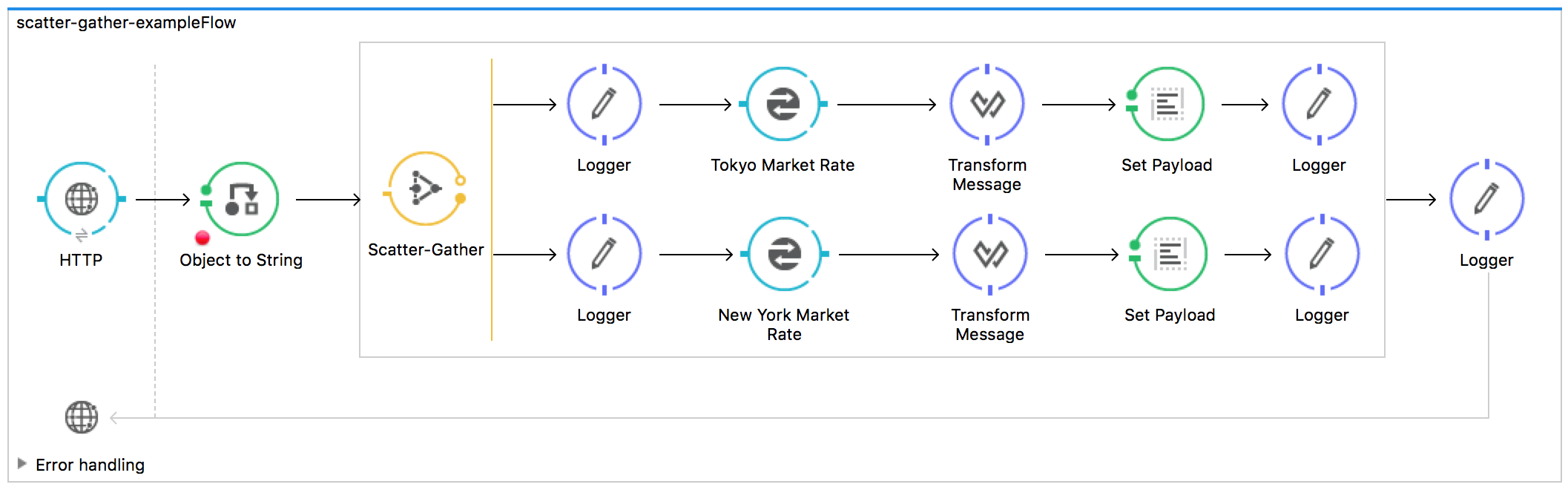
Sample Scatter-Gather flow in mule anypoint studio.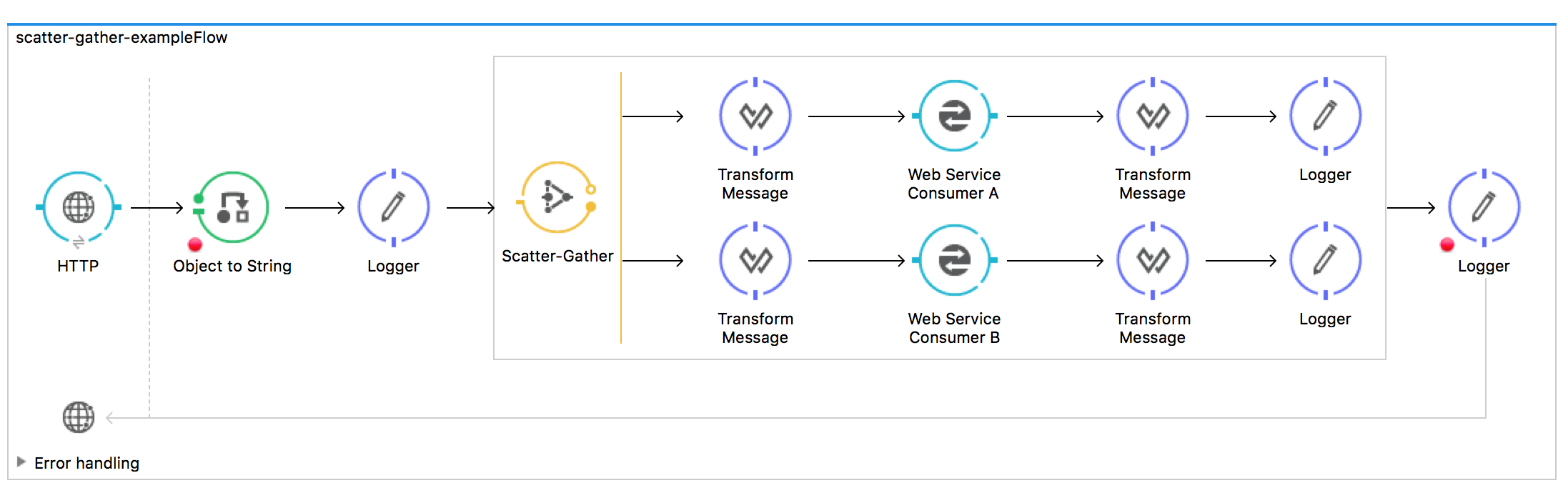
How it works
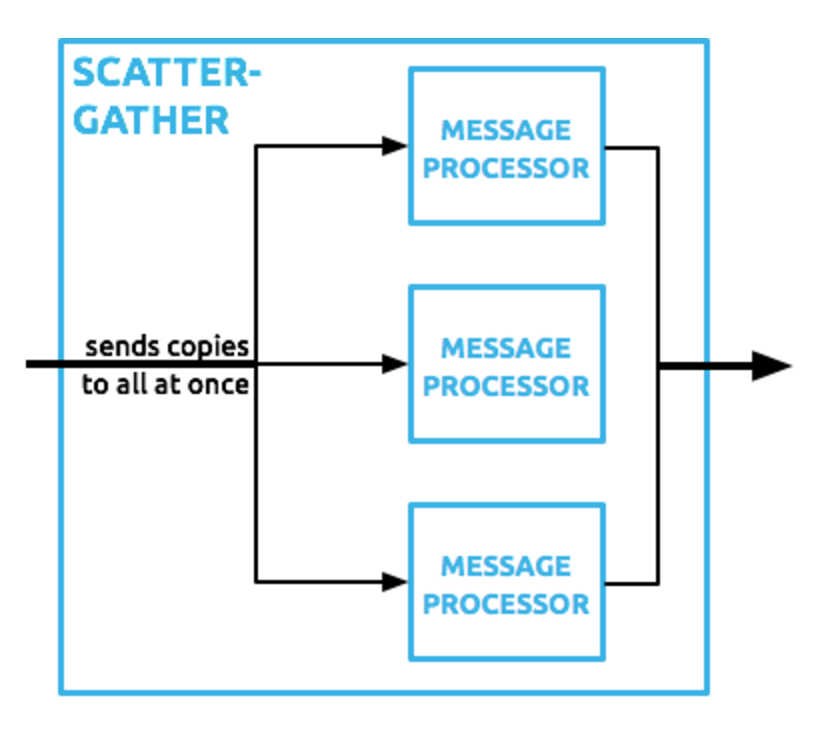
Once a message is received by the Scatter-Gather it sends a message for concurrent processing to all configured routes. The Main thread executing the flow that owns the router waits until all routes complete or time out.
If there are no failures, Mule aggregates the results from each of the routes into a message collection (MessageCollection class). Failure in one route does not stop the Scatter-Gather from sending messages to its other configured routes, so it is possible that many, or all routes may fail concurrently.
If and when some of the route fails Scatter-Gather performs the below operations
- Sets the exception payload accordingly for each route.
- Throws a CompositeRoutingException, which maps each exception to its corresponding route using a sequential route ID.
Aggregation Strategies
We can define our own Aggregation Strategies for Scatter-Gather to overrides its default aggregation strategy.
- Discard message responses
- Merge message properties that originated in different routes
- Discard failed messages without throwing an exception
- Select only one from multiple responses
Configuration
Important thing to remember is that since Scatter-Gather routes messages to mulitple routes, If you configure only one route than the application will throw exception and will fail to start. There should be minimum two routes in Scatter-Gather.
General Tab
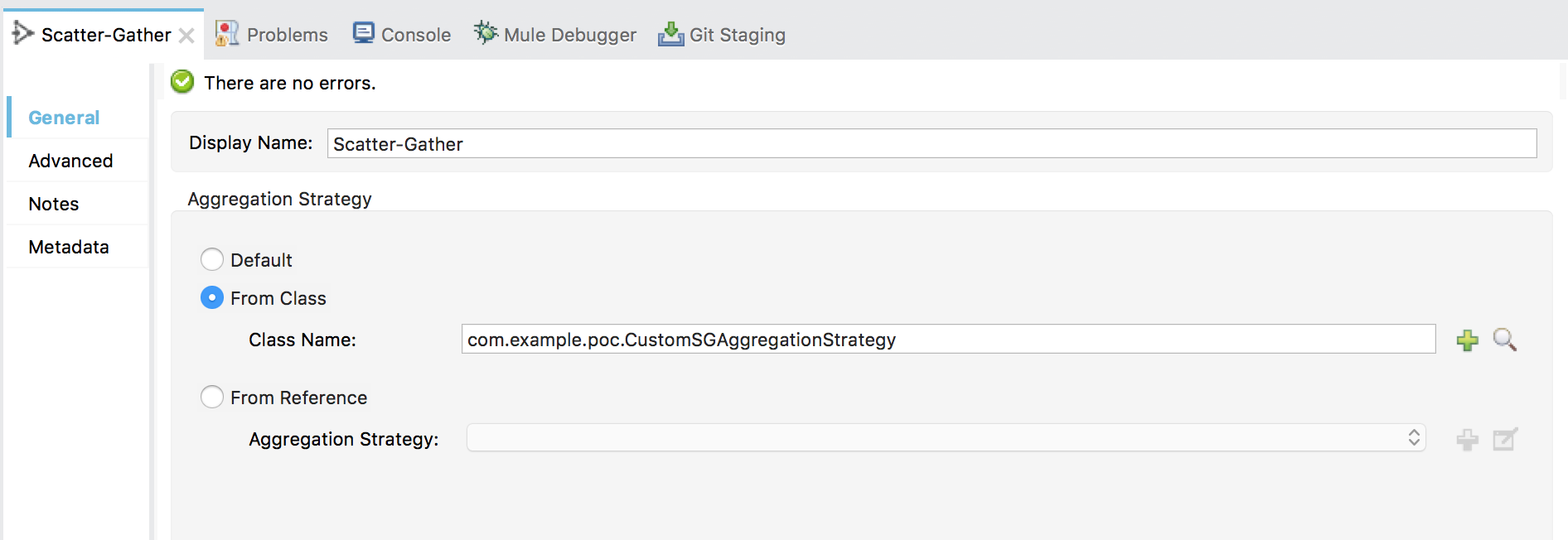
You can configure your custom aggregation strategy in General tab of Scatter-Gather.
Advanced Tab
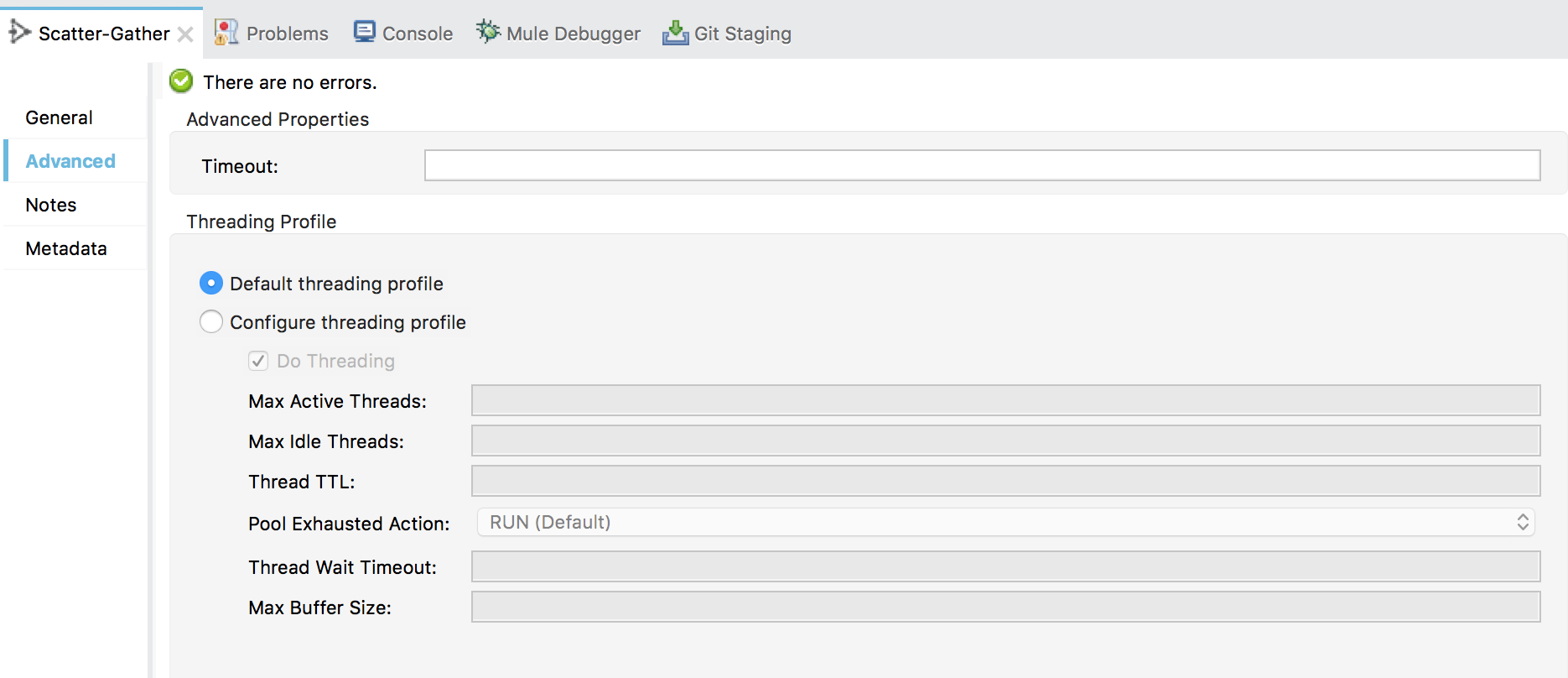
In advanced tab of message processor you can configure
| Timeout | Sets the timeout for responses from sent messages, in milliseconds. A value of 0 or lower than 0 means no timeout. Default is 0. |
| Threading Profile | Optionally, use to customize the threading profile.maxThreadsActive for Scatter-Gather is the number of routes in a Scatter-Gather * maxThreadsActive for flow |
Sample Flow
Video Tutorial