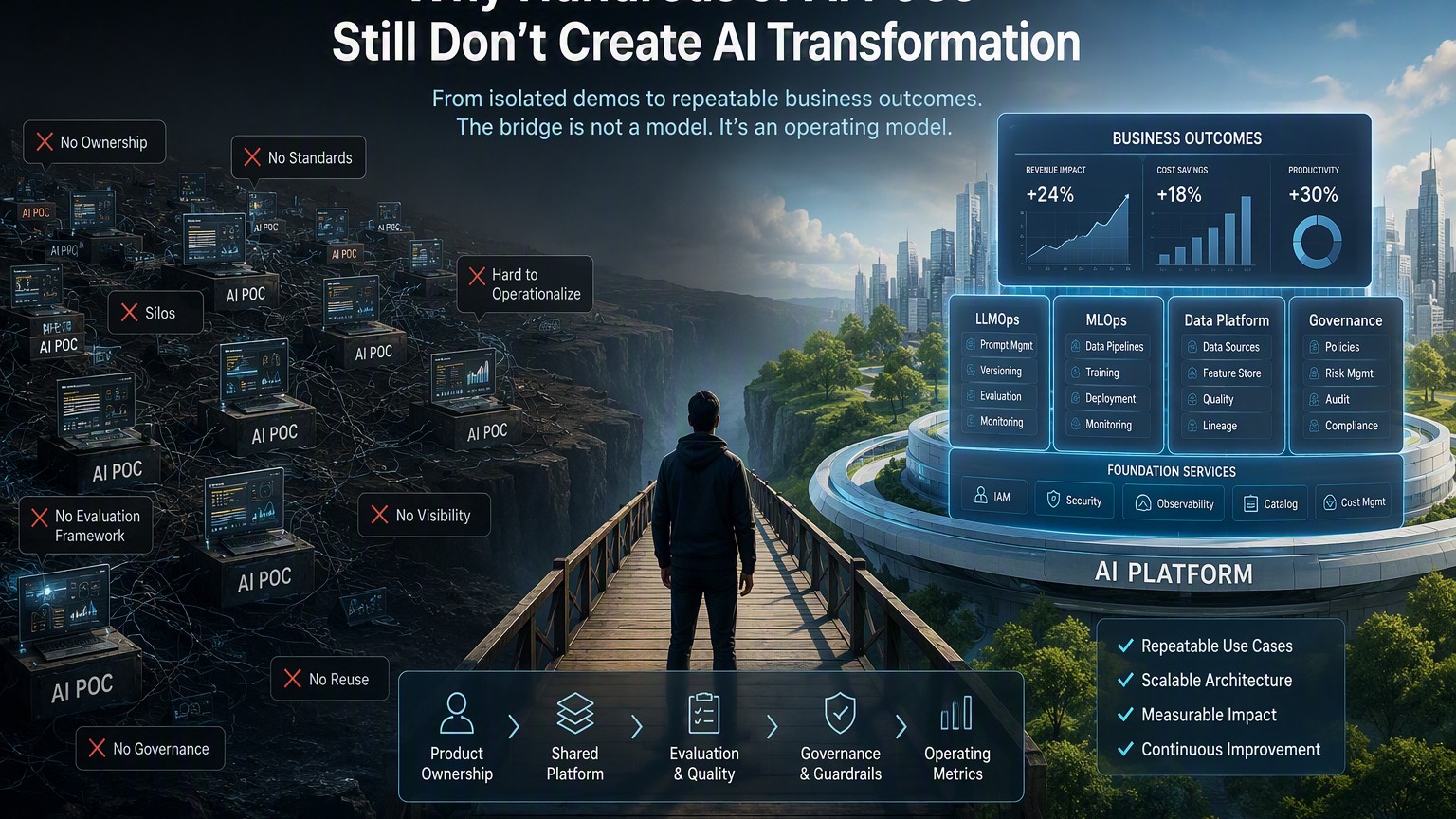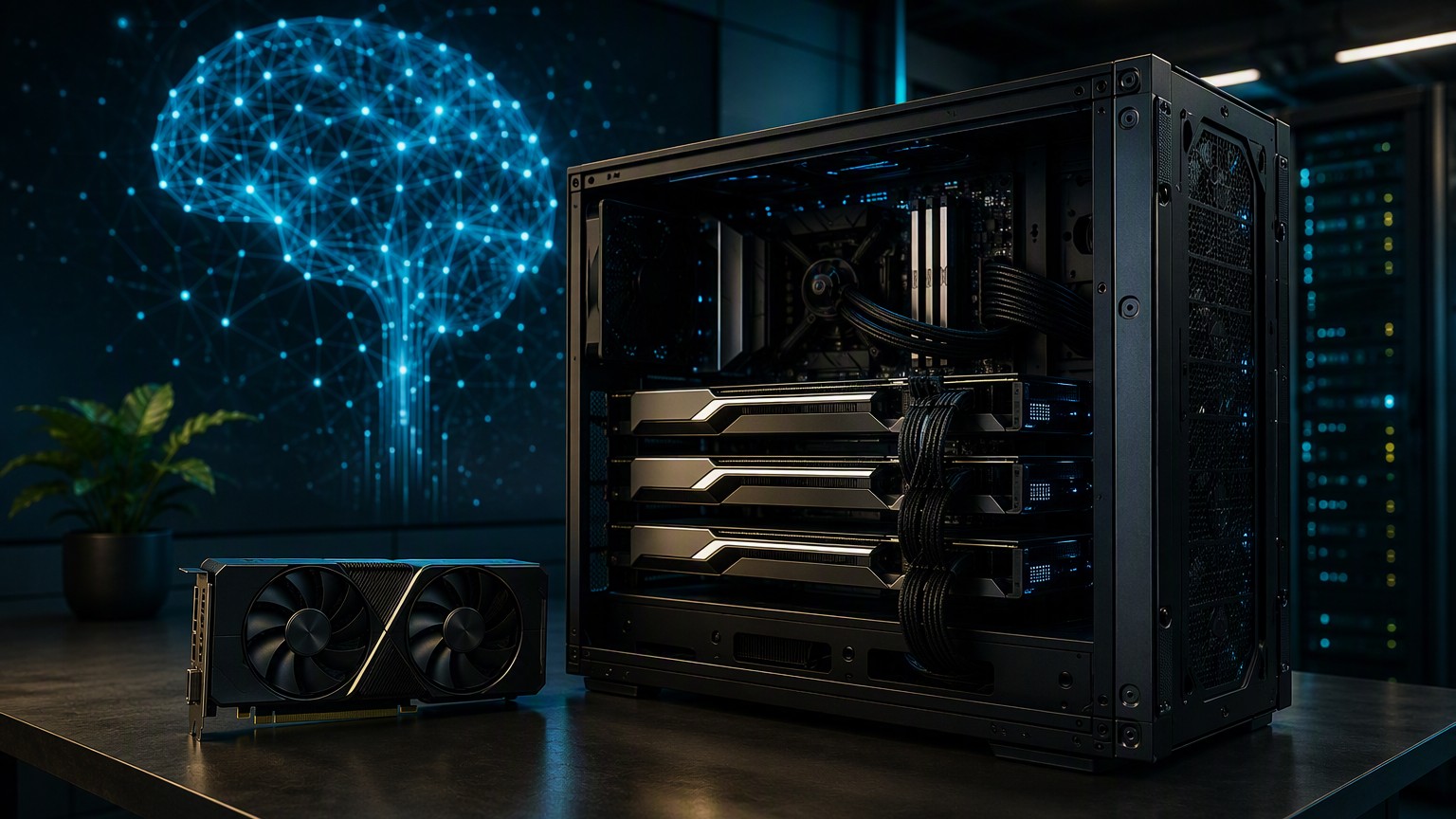
Building a Private Local AI Inference Server with Consumer NVIDIA GPUs
Running capable language models no longer requires renting a large cloud GPU instance. A workstation built from consumer NVIDIA RTX cards can provide private, predictable inference for coding assistants, document processing, retrieval-augmented generation (RAG), prototypes, and internal applications.
The simplest starting point is an RTX 3060 with 12 GB of VRAM or an RTX 3090 with 24 GB. The same architecture can scale to four RTX 3090 cards—96 GB of aggregate VRAM—provided the server has sufficient PCIe connectivity, cooling, electrical capacity, and system memory.
This guide covers the hardware, operating system, model formats, security, observability, capacity planning, and three practical serving options:
- LM Studio for interactive evaluation and desktop development
- Ollama for straightforward model management and local APIs
- vLLM for an automated, multi-GPU, OpenAI-compatible service
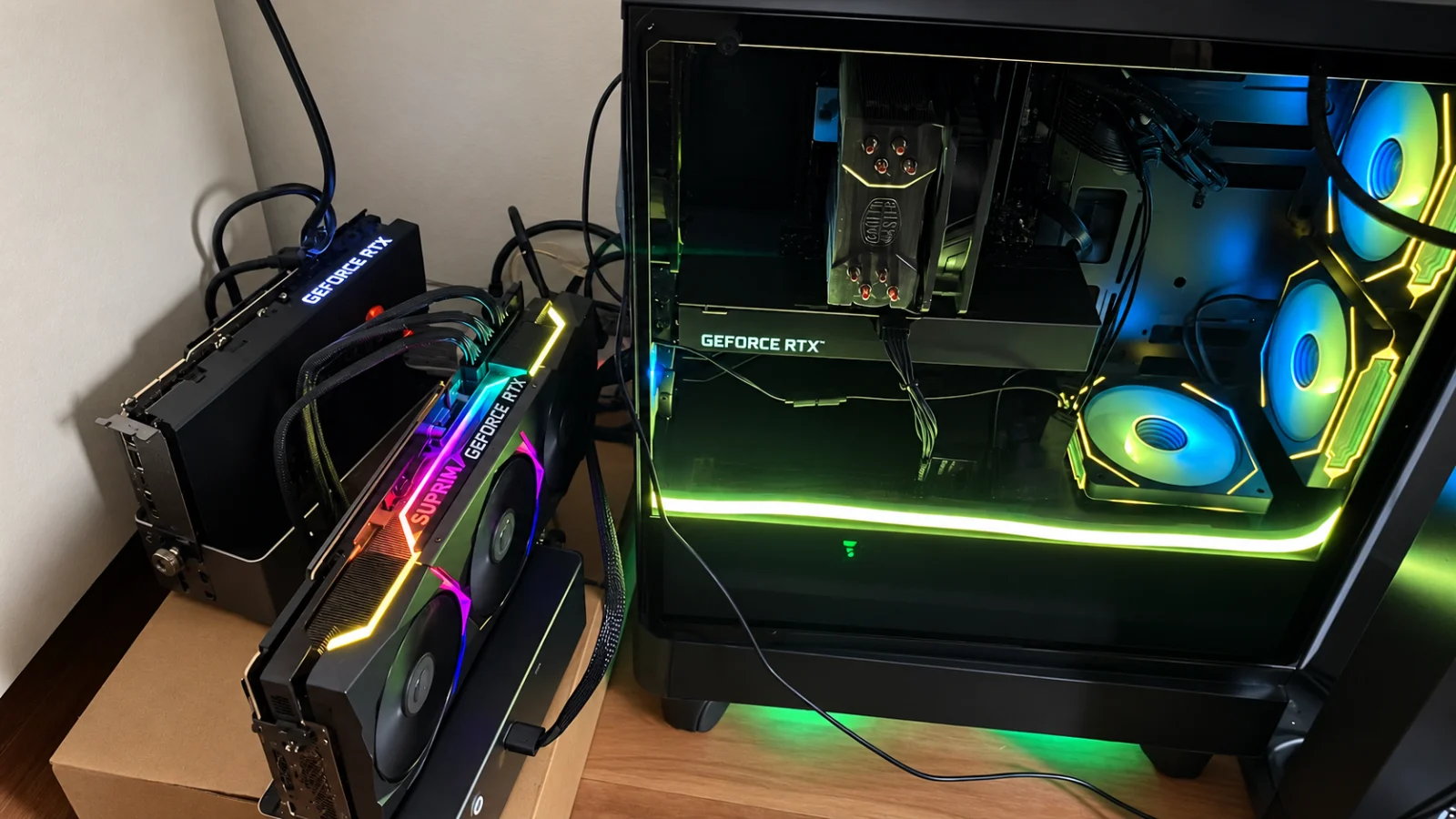
The goal is not to build a training cluster. It is to build a maintainable inference platform that software teams can integrate with existing applications.
Design principle: start with the smallest model and simplest runtime that meets the quality requirement. Scale hardware only after measuring model quality, latency, context requirements, and concurrency.
Reference architecture
A useful local AI platform has more than a model process. Separate application access, API control, inference, model storage, and observability so each layer can evolve independently.
flowchart LR
    U[Developers / Applications] --> G[Private API Gateway / Reverse Proxy]
    G --> A[Authentication + Rate Limits]
    A --> R[Inference Runtime]

    R --> L[LM Studio]
    R --> O[Ollama]
    R --> V[vLLM]

    L --> M[Model Storage]
    O --> M
    V --> H[Hugging Face Cache]

    L --> GPU[RTX GPUs]
    O --> GPU
    V --> GPU

    GPU --> OBS[GPU / Host Metrics]
    R --> OBS
    OBS --> MON[Monitoring Platform]
LM Studio, Ollama, and vLLM overlap, but they solve different operational problems. It is normally better to select one runtime for a deployed model rather than running all three simultaneously and competing for VRAM.
Choose the runtime by operating model
| Requirement | LM Studio | Ollama | vLLM |
|---|---|---|---|
| Interactive model evaluation | Excellent | Good | Limited |
| Easy local installation | Excellent | Excellent | Moderate |
| GGUF workflows | Strong | Strong | Not primary focus |
| OpenAI-compatible API | Yes | Yes | Yes |
| Unattended server operation | Possible | Good | Excellent |
| Multi-GPU control | Limited/runtime-dependent | Automatic/runtime-dependent | Explicit tensor/pipeline parallelism |
| High concurrency | Moderate | Moderate | Strong |
| Continuous batching | Runtime-dependent | Runtime-dependent | Strong |
| Production-style API service | Small/team use | Small/team use | Best fit of these three |
A practical lifecycle is LM Studio for exploration → Ollama for a simple internal service → vLLM when concurrency, automation, or explicit multi-GPU execution becomes important. This is a workflow, not a mandatory migration path.
Hardware architecture
A practical 96 GB configuration
| Component | Suggested configuration |
|---|---|
| GPUs | 4 × RTX 3090 24 GB |
| Aggregate VRAM | 96 GB |
| CPU | Modern 12–24 core AMD or Intel processor |
| System memory | 128 GB minimum; 256 GB useful for large-model workflows |
| Storage | 2–4 TB NVMe SSD |
| Operating system | Ubuntu Server 22.04 or 24.04 LTS |
| Network | 2.5 GbE minimum; 10 GbE useful for shared environments |
| Power | Sized for GPU transients and complete system load |
| Cooling | High-airflow chassis or open-frame/workstation design validated under sustained load |
Four RTX 3090 cards can draw roughly 1.4 kW at their stock board-power limits before accounting for the CPU and other components. This is not an ordinary desktop power requirement. Confirm circuit capacity, connectors, cable ratings, chassis airflow, and PSU design with qualified guidance. Power limiting can substantially reduce heat and consumption, but validate performance and stability under sustained inference load.
The motherboard is equally important. Four physical slots do not guarantee four useful PCIe connections. Check:
- CPU PCIe lane count and motherboard lane bifurcation
- Electrical lane width of each slot, not only physical x16 size
- Slot spacing and GPU thickness
- Above 4G Decoding and Resizable BAR support where appropriate
- BIOS support for multiple large GPUs
- Whether risers affect signal integrity
- Airflow when cards are mounted adjacent to each other
A workstation or server platform is often easier to operate than a consumer motherboard adapted with multiple risers.
Start smaller when possible
| GPU capacity | Reasonable starting point |
|---|---|
| RTX 3060 12 GB | Quantized 7B–8B models; some larger models with constrained context |
| RTX 3090 24 GB | Quantized 14B models and selected larger models |
| 2 × RTX 3090 | Larger models, longer context, or additional concurrency |
| 4 × RTX 3090 | Quantized 70B/72B-class models, larger contexts, or higher concurrency |
These are planning ranges, not guarantees. Actual memory consumption depends on model architecture, precision, quantization, runtime, context length, batch size, KV-cache representation, and concurrent requests.
VRAM is more than model weights
Four 24 GB cards provide 96 GB of aggregate VRAM, but they do not behave like one transparent 96 GB GPU. The inference runtime must explicitly partition model weights and computation between devices.
A rough estimate for raw weight storage is:
weight memory ≈ parameter count × bits per parameter ÷ 8
A 72-billion-parameter model at an idealized four bits per parameter therefore requires about 36 GB for raw weights. Real deployments require additional memory for quantization metadata, temporary workspaces, CUDA graphs, framework overhead, and the key-value cache used to retain context.
Why context and concurrency matter
The KV cache grows with context length and the number of active sequences. This means capacity planning should consider:
required VRAM ≈ model weights
              + KV cache
              + runtime/framework overhead
              + temporary workspace
              + safety margin
A model that starts successfully with an 8K context and one user may fail with a 32K context and eight simultaneous requests. Avoid sizing a server from model weight alone.
A useful initial target is to leave approximately 10–20% operational headroom, then load-test with realistic prompts and concurrency. The correct margin depends on runtime behavior and workload.
Multi-GPU is not automatically faster
Multi-GPU inference introduces communication overhead. Homogeneous GPUs are preferable because tensor-parallel execution frequently waits for the slowest device. Combining a 24 GB RTX 3090 with a 12 GB RTX 3060 may work with runtimes that split layers, but it is harder to balance and less predictable than matching cards.
Inspect topology with:
nvidia-smi topo -m
PCIe placement and peer-to-peer connectivity can materially affect multi-GPU performance. Consumer RTX 3090 systems should not be designed on the assumption that every pair of GPUs will have ideal peer-to-peer behavior.
Capacity planning: latency versus throughput
Two metrics are especially useful for an interactive LLM service:
- Time to first token (TTFT): how long the user waits before generation begins
- Inter-token latency / tokens per second: how quickly the answer streams after generation begins
Throughput-focused serving may batch several requests and improve total tokens per second while increasing individual request latency. An internal coding assistant usually values low TTFT; a background document-processing pipeline may prefer maximum aggregate throughput.
Before buying more GPUs, benchmark the workload you actually need:
model + quantization
context distribution
input/output token distribution
concurrent users
TTFT p50/p95
end-to-end latency p50/p95
tokens/second
GPU memory utilization
GPU power and temperature
error/OOM rate
This makes hardware expansion a capacity decision rather than a guess.
Prepare the Linux host
Use a minimal Linux installation, assign a static DHCP lease or static address, and keep the inference network private.
Install the recommended NVIDIA driver using the distribution-supported process, reboot, and verify every GPU:
nvidia-smi
nvidia-smi --query-gpu=index,name,memory.total,temperature.gpu,power.draw \
  --format=csv
Record the working driver version:
nvidia-smi --query-gpu=driver_version --format=csv,noheader
For containerized runtimes, install Docker Engine and NVIDIA Container Toolkit from their official repositories. Configure Docker for NVIDIA GPU access:
sudo nvidia-ctk runtime configure --runtime=docker
sudo systemctl restart docker
Test GPU access from a CUDA container whose version is compatible with the installed driver:
docker run --rm --gpus all nvidia/cuda:<tested-tag> nvidia-smi
Use a specific tested image tag rather than latest. Driver, CUDA, PyTorch, and inference-runtime compatibility are common deployment failure points. Treat the complete combination as a tested release and record it in source control.
Basic host hardening
For a shared server:
- Disable password-based SSH where practical and use managed SSH keys
- Restrict inbound traffic with host/network firewalls
- Run inference processes as non-root where supported
- Keep API ports bound to localhost or a private interface
- Separate model/cache volumes from the OS filesystem
- Apply OS and driver patches through a controlled maintenance process
- Back up configuration, not downloaded model caches that can be recreated
- Avoid storing API credentials in Compose files or shell history
Choose the correct model format
Hugging Face is primarily a model repository and distribution platform; it is not itself an inference runtime. Models must be loaded by software such as vLLM, Transformers, llama.cpp, or another compatible engine.
Common formats include:
- GGUF: Common in llama.cpp-based tools and many LM Studio/Ollama workflows. Supports multiple CPU/GPU-friendly quantization levels.
- AWQ: Weight quantization commonly used for GPU inference where supported by the runtime and model architecture.
- GPTQ: Another GPU-oriented quantization family; support varies by engine and architecture.
- BF16 / FP16: Higher-precision weights that require considerably more VRAM.
Quantization is a quality/capacity trade-off
Lower precision usually reduces memory requirements and can make a model practical on consumer hardware, but quantization can affect output quality and performance differently across models and tasks. Do not select a quantization solely because it fits.
Evaluate candidate models against a small workload-specific test set—for example:
- code generation and code review
- Japanese/English translation
- structured JSON output
- tool/function calling
- retrieval-grounded question answering
- long-document summarization
Model names can also be misleading. Confirm parameter count, architecture, context support, quantization, chat template, runtime compatibility, and license before deployment.
Model licensing and data governance
A local model avoids sending prompts to a third-party inference API, but local does not automatically mean compliant or secure.
Before deploying a model for business use, record:
- Model name and exact revision
- Source repository
- License and acceptable-use terms
- Quantization source and whether it is trusted
- SHA/revision used for reproducibility
- Intended business use
- Data classification permitted in prompts
- Whether prompts/responses are logged and for how long
For sensitive workloads, consider an allowlisted model registry or internal mirror rather than allowing arbitrary downloads directly onto the inference server.
Treat model files as software supply-chain artifacts. A model repository may contain configuration and, depending on the ecosystem, code that a runtime can be asked to trust or execute. Avoid enabling remote code execution options unless the model genuinely requires them and the repository has been reviewed.
Option 1: Evaluate models with LM Studio
LM Studio is useful when an engineer wants to search for a compatible model, adjust context and GPU-offload settings, test prompts, and expose a local API without first creating a server deployment.
A typical workflow is:
- Install LM Studio on a supported workstation.
- Download a compatible model that fits available VRAM.
- Load it with a conservative context length.
- Open the developer/local-server interface.
- Start the OpenAI-compatible server and note the displayed model identifier.
LM Studio commonly uses port 1234, but treat the configured address as authoritative:
curl http://127.0.0.1:1234/v1/chat/completions \
  -H 'Content-Type: application/json' \
  -d '{
    "model": "your-loaded-model-id",
    "messages": [
      {"role": "user", "content": "Explain optimistic locking in two paragraphs."}
    ],
    "temperature": 0.2
  }'
LM Studio is excellent for evaluation and developer workstations. For a shared server, requirements such as unattended startup, declarative configuration, health checks, metrics, controlled upgrades, and high concurrency often favor a server-oriented runtime.
Option 2: Run a simple service with Ollama
Ollama provides a concise model-management workflow and is a good fit for a single server serving a small number of models.
ollama pull qwen2.5:32b
ollama run qwen2.5:32b
Model tags and available quantizations can change. Inspect current metadata rather than assuming similarly named tags have identical memory requirements.
Ollama exposes its native API on port 11434 by default and also supports OpenAI-compatible endpoints:
curl http://127.0.0.1:11434/v1/chat/completions \
  -H 'Content-Type: application/json' \
  -d '{
    "model": "qwen2.5:32b",
    "messages": [
      {"role": "system", "content": "You are a concise software architecture assistant."},
      {"role": "user", "content": "List three risks of distributed transactions."}
    ]
  }'
For a systemd deployment, keep the listener private and put model data on a sufficiently large volume:
[Service]
Environment="OLLAMA_HOST=127.0.0.1:11434"
Environment="OLLAMA_MODELS=/srv/ollama/models"
Then:
sudo systemctl daemon-reload
sudo systemctl restart ollama
Verify actual GPU placement with nvidia-smi rather than assuming aggregate VRAM is being used efficiently.
Option 3: Serve Hugging Face models with vLLM
For an automated multi-GPU service, vLLM is a practical choice because it provides an OpenAI-compatible API, explicit parallelism controls, request batching, and configurable memory limits.
The following Compose file is an illustrative four-GPU deployment. Pin both the container image and model revision in a real environment.
services:
  inference:
    image: ${VLLM_IMAGE:?Set a tested vLLM image tag}
    restart: unless-stopped
    gpus: all
    shm_size: 16gb
    ports:
      - "127.0.0.1:8000:8000"
    volumes:
      - /srv/huggingface:/root/.cache/huggingface
    command:
      - --model
      - ${MODEL_ID:-Qwen/Qwen2.5-72B-Instruct-AWQ}
      - --tensor-parallel-size
      - "4"
      - --dtype
      - auto
      - --max-model-len
      - "16384"
      - --gpu-memory-utilization
      - "0.90"
      - --api-key
      - ${VLLM_API_KEY:?Set an API key}
Start it with values outside the Compose file:
export VLLM_IMAGE='vllm/vllm-openai:<tested-version>'
export MODEL_ID='Qwen/Qwen2.5-72B-Instruct-AWQ'
export VLLM_API_KEY="$(openssl rand -hex 32)"
docker compose up -d
The tensor-parallel size must match the GPUs assigned to that model process. Four-way tensor parallelism does not automatically make every workload faster; smaller models may perform better on one or two GPUs because they avoid communication overhead.
The 16K context limit is deliberately conservative for initial validation. Increase it only after measuring VRAM usage with expected concurrency.
Test the API:
curl http://127.0.0.1:8000/v1/chat/completions \
  -H "Authorization: Bearer $VLLM_API_KEY" \
  -H 'Content-Type: application/json' \
  -d '{
    "model": "Qwen/Qwen2.5-72B-Instruct-AWQ",
    "messages": [
      {"role": "user", "content": "Write a PostgreSQL transaction retry strategy."}
    ],
    "temperature": 0.1,
    "max_tokens": 500
  }'
An application using the OpenAI Python client can target the private server by changing its base URL:
import os
from openai import OpenAI

client = OpenAI(
    base_url="http://127.0.0.1:8000/v1",
    api_key=os.environ["VLLM_API_KEY"],
)

response = client.chat.completions.create(
    model="Qwen/Qwen2.5-72B-Instruct-AWQ",
    messages=[
        {"role": "user", "content": "Review this database migration plan."}
    ],
    temperature=0.1,
)

print(response.choices[0].message.content)
OpenAI-compatible does not mean every runtime implements every feature identically. Validate streaming, structured output, tool calling, token accounting, multimodal inputs, embeddings, and error behavior before treating runtimes as interchangeable.
Put an API boundary in front of the model
Applications should ideally depend on an internal inference endpoint rather than a specific model runtime. This gives the platform team a stable boundary for authentication, routing, model replacement, logging policy, and rate limiting.
flowchart LR
    A[Application] --> B[Internal AI API]
    B --> C{Model Route}
    C --> D[Small / Fast Model]
    C --> E[Large / High Quality Model]
    C --> F[Embedding Model]
Even if the first deployment has only one model, this boundary prevents every application from embedding runtime-specific addresses and credentials.
A gateway can later support:
- Per-application credentials
- Model allowlists
- Request and token quotas
- Rate limiting and concurrency limits
- Audit metadata without storing prompt content
- Routing between fast and high-quality models
- Maintenance-mode responses
- Gradual model upgrades
Secure the service
Do not expose an inference port directly to the public internet. Bind it to localhost or a private network and access it through one of the following:
- SSH tunnel for individual developers
- Private VPN such as WireGuard
- Authenticated internal reverse proxy with TLS
- API gateway enforcing identity, quotas, rate limits, and request-size limits
For an SSH tunnel:
ssh -L 8000:127.0.0.1:8000 ai-server
The application can then use http://127.0.0.1:8000/v1 as if the service were local.
Prompt logging deserves special attention
Prompts may contain source code, customer data, credentials pasted accidentally by users, or proprietary documents. Avoid enabling full prompt/response logging by default merely because the inference stays on-premises.
Prefer operational telemetry such as:
request_id
application_id
model_id
input_token_count
output_token_count
latency
time_to_first_token
status/error
If content logging is required for debugging or evaluation, make it explicit, access-controlled, time-limited, and aligned with the organization's data-retention policy.
Observability
Monitor more than GPU utilization. Useful signals include:
- GPU memory, utilization, temperature, power, and throttling
- Queue depth
- Time to first token
- Generation tokens per second
- Input/output token counts
- End-to-end request latency
- Failure and out-of-memory rates
- Host RAM and swap activity
- Disk capacity and model-download failures
- Runtime restarts
For initial diagnostics:
watch -n 1 nvidia-smi
nvidia-smi dmon
journalctl -u ollama -f
docker compose logs -f inference
For a shared service, export NVIDIA metrics through DCGM Exporter and collect runtime/application metrics with the existing monitoring platform.
Build a regression suite
Operational health is not enough. A model can remain available while its useful behavior changes after a model, quantization, runtime, chat-template, or prompt update.
Maintain a small regression suite containing representative tasks and measure:
- answer correctness or evaluator score
- structured-output validity
- tool-call correctness
- hallucination/grounding behavior
- TTFT and total latency
- token usage
Treat model changes like software releases.
Reliability and failure modes
Consumer GPUs can provide excellent inference economics, but a workstation is not automatically a highly available platform. Decide what happens when a GPU, driver, process, or host fails.
For internal developer tooling, a single server with documented recovery may be enough. For business-critical applications, consider:
- A second inference host
- Health-checked routing between servers
- A cloud-model fallback where policy permits
- Model/cache recreation procedures
- Configuration-as-code
- Spare GPU/PSU strategy
- Tested recovery after driver and kernel upgrades
Avoid designing an application whose availability requirement is higher than the infrastructure behind its model endpoint.
Cost: local GPU versus cloud inference
Local hardware changes the cost model from predominantly variable spend to a mixture of capital cost, electricity, maintenance, and operator time.
A simple comparison is:
local annualized cost = hardware depreciation
                      + electricity
                      + cooling overhead
                      + maintenance
                      + operational effort

cloud/API cost = GPU instance hours or token consumption
               + storage/network
               + operational overhead
Local inference tends to become attractive when utilization is sustained, data locality matters, or predictable capacity is valuable. Cloud services remain attractive for burst workloads, rapidly changing hardware needs, geographic redundancy, and workloads that do not justify dedicated equipment.
The best architecture may be hybrid: local models for routine/private workloads and approved cloud models for burst capacity or capabilities unavailable locally.
A sensible rollout plan
Phase 1 — Prove the workload
Start with one RTX 3060 or RTX 3090 and a quantized 7B–14B model. Validate:
- application integration
- prompt/data privacy boundary
- required model quality
- API contract
- TTFT and throughput
- monitoring
Phase 2 — Establish repeatability
Pin the model revision, runtime/container version, driver stack, context limit, and generation defaults. Put configuration in source control and add a regression prompt suite.
Phase 3 — Add a shared API boundary
Introduce authentication, TLS/private connectivity, quotas, health checks, and application-level identity before opening the service to a wider developer population.
Phase 4 — Scale only from measurements
Move to a larger model when evaluation demonstrates meaningful quality improvement. Add matching GPUs when measured VRAM, context, or concurrency requires them—not simply because more GPUs are available.
Phase 5 — Treat it as a platform
Once applications depend on the service, define ownership, upgrades, model approval, incident response, capacity thresholds, and recovery procedures.
Production-readiness checklist
Before calling a local inference server production-ready, verify:
- Exact model and revision are pinned
- Model license has been reviewed for intended use
- Runtime/container version is pinned
- NVIDIA driver/CUDA compatibility is documented
- Context and concurrency limits have been load-tested
- API is not publicly exposed
- Authentication and rate limits are enabled for shared access
- Prompt/response logging policy is defined
- GPU, host, latency, and error metrics are collected
- Disk-capacity alerts exist for model caches
- Regression prompts run before model/runtime upgrades
- Configuration is stored in source control
- Recovery procedure has been tested
- Capacity thresholds for adding hardware are defined
Final perspective
The difficult part of local LLM inference is not downloading a model and making a GPU generate tokens. The difficult part is turning that experiment into a predictable service.
A well-designed local AI platform has five properties:
- Right-sized: model quality, context, and concurrency drive hardware decisions.
- Reproducible: model revisions, runtimes, drivers, and configuration are pinned.
- Private by design: inference endpoints are not exposed publicly and prompt logging is controlled.
- Observable: the team can see capacity, latency, failures, and GPU health.
- Replaceable: applications depend on a stable internal API rather than one model or runtime.
With those foundations, a single RTX workstation can evolve into a useful internal inference platform, while a four-GPU server can host surprisingly capable models without committing every workload to cloud GPU infrastructure.